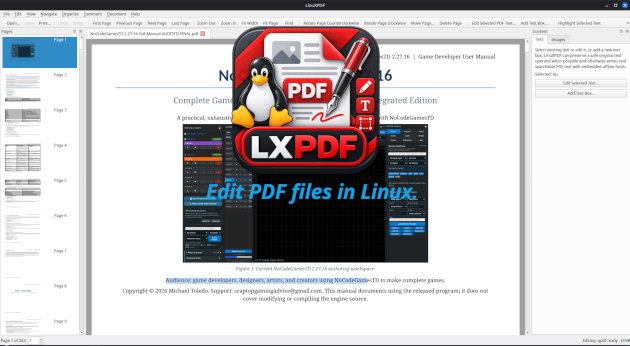
LinXPDF
A downloadable tool for Windows and Linux
LinXPDF 1.7.12 — Professional PDF Editing for Linux
LinXPDF is a full-featured native Linux PDF editor for users who want professional document editing, OCR, forms, secure redaction, digital signatures, Office conversion, standards validation, batch processing, and advanced PDF content control without relying on a Windows-only editor or an online PDF service.
Built around a dark Linux Mint-style desktop interface, LinXPDF combines everyday PDF editing with deeper professional workflows including reconstructed third-party text editing, calibrated measurement, local OCR, PDF/A and PDF/UA validation, document comparison, prepress inspection, long-term signature evidence, and automated multi-step document processing.
LinXPDF 1.7.12 also includes an advanced reconstruction engine designed to handle difficult real-world PDFs, higher-fidelity Office documents, complex scanned layouts, and professional editing workflows while refusing unsafe destructive changes when a document cannot be interpreted reliably.
Edit Existing PDF Text
LinXPDF goes beyond simply placing new text over a PDF.
Its existing-text editing engine supports:
- fragmented PDF text runs;
TjandTJreconstruction;- subset, CID, Type0, custom, and supported vertical fonts;
/ToUnicodeand custom character maps;- repeated-text selection using actual page geometry;
- text inside nested and reused Form XObjects;
- mixed-font length-changing replacement;
- paragraph reconstruction and reflow;
- source font/style preservation where mappings permit;
- rotation and horizontal skew;
- multi-column reflow while preserving gutters;
- line-aware flow across uneven columns;
- page-to-page text continuation;
- optional automatic continuation-page creation.
Continuation pages can use:
- a blank source-matching page;
- the starting page as a template;
- another selected PDF page;
- an existing page range;
- a custom page sequence such as
2,4,3; - separate odd/even destination-page templates.
When the source PDF does not contain enough reliable encoding or geometry information, LinXPDF refuses the unsafe destructive edit rather than guessing.
Rich Text, Images, Vectors, and Object Editing
Create and modify PDF content directly:
- editable rich text boxes;
- font, size, spacing, alignment, rotation, and skew controls;
- image insertion;
- resize, rotate, crop, flip, duplicate, reorder, and remove supported images;
- transparent image masks;
- conservative vector-object editing;
- unique editing of supported objects inside reused Form XObjects;
- multi-object selection;
- alignment;
- equal-gap distribution;
- front/back ordering;
- copy, paste, and duplicate;
- drag and resize handles;
- keyboard nudging.
Page Organization
Organize PDFs with tools for:
- inserting pages;
- deleting pages;
- extracting pages;
- moving and reordering pages;
- rotating pages;
- cropping pages;
- resizing page geometry;
- duplicating pages;
- splitting and combining document workflows;
- page-range operations.
Annotations, Review, and Dynamic Stamps
Review documents using:
- highlights;
- underlines;
- strikeouts;
- notes;
- annotations;
- shapes and markup;
- stamps;
- annotation flattening.
Dynamic stamps support tokens such as:
- date;
- time;
- date and time;
- user;
- current page;
- total pages.
Ready-to-use reviewed, approved, received, and page-number-style stamp workflows are included.
Professional Measurement Tools
Create calibrated PDF measurements for:
- distance;
- perimeter;
- area.
Measurement features include:
- drawing scale;
- units;
- precision;
- line/color/opacity controls;
/UserUnitawareness;- reusable JSON calibration presets;
- common third-party measurement annotation recognition;
- CSV reports;
- geometry-preserving measurement import/export interchange.
Bookmarks, Links, and Named Destinations
Manage PDF navigation with:
- bookmark creation and editing;
- bookmark hierarchies;
- bookmark generation from tagged headings;
- JSON bookmark import/export;
- split-at-bookmark workflows;
- link creation and editing;
- legacy and modern named destination management;
- safe destination navigation, updating, and removal.
Interactive PDF Forms
Create and edit AcroForm content including:
- text fields;
- check boxes;
- radio buttons;
- combo boxes;
- list boxes;
- push buttons;
- field appearance and properties;
- hierarchical mutually exclusive radio groups;
- widget tab order;
- document-wide calculation order;
- calculation actions;
- validation actions;
- formatting actions;
- keystroke actions;
- focus/blur/activation actions;
- review-first automatic field candidate detection.
LinXPDF can author and preserve supported PDF form JavaScript without executing arbitrary document JavaScript internally.
Local OCR and Scanned Document Reconstruction
Turn scans into searchable PDFs using local Tesseract OCR.
Features include:
- invisible searchable text layers;
- selectable OCR languages;
- automatic mixed-language recognition using installed models;
- confidence-gated script detection;
- bundled and user-installed language models;
- text-edge sharpening;
- adaptive thresholding;
- isolated-speckle removal;
- rotated OCR text;
- multi-column reading order;
- paragraph reconstruction;
- vertical CJK reconstruction;
- right-to-left vertical CJK column order;
- mixed horizontal and vertical CJK layouts.
Advanced table reconstruction includes:
- borderless tables;
- missing cells;
- sparse and interrupted rows;
- partially aligned numeric columns;
- logical multi-word cells;
- merged cells;
- rowspans;
- colspans;
- rotated table cells;
- multi-level hierarchical headers;
- irregular headers containing simultaneous rowspans and colspans;
- CSV export;
- paragraph/table HTML reconstruction.
Scanner acquisition is also available when compatible local scanner hardware and drivers are present.
Secure Redaction, Sanitization, and PDF Security
Protect sensitive documents with:
- secure/destructive redaction;
- redaction preview and application;
- private-data sanitization;
- metadata cleanup;
- XMP cleanup;
- embedded/private-resource cleanup options;
- PDF encryption and security controls;
- password-protected PDF workflows.
Redaction is designed to alter the underlying document content rather than simply drawing an opaque rectangle over sensitive information.
Digital Signatures, Timestamps, and LTV
Professional signing workflows include:
- PDF digital signatures;
- incremental signing;
- certificate handling;
- RFC 3161 timestamps;
- signature validation;
- certificate-chain and evidence inspection;
- DSS/VRI evidence handling;
- LTV evidence support;
- PAdES/LTA readiness assessment;
- LTA evidence renewal with updated revocation evidence and document timestamps.
LinXPDF provides professional signing and validation capabilities without claiming unsupported government, ETSI, legal, or eIDAS certification.
Headers, Footers, Page Numbers, Watermarks, and Bates Numbering
Create managed document marks including:
- headers;
- footers;
- page numbers;
- first-page overrides;
- odd/even overrides;
- text watermarks;
- image watermarks;
- opacity;
- rotation;
- foreground/background placement;
- Bates numbering;
- prefixes;
- suffixes;
- digit padding;
- selectable page ranges;
- reusable presets;
- visual preview.
LinXPDF-authored mark batches can later be identified, replaced, or removed without guessing at unrelated original content.
Create PDFs from Local Documents
Create PDFs locally from:
- plain text;
- Markdown;
- HTML;
- RTF;
- DOCX;
- ODT;
- XLSX;
- PPTX.
Modern Office import can retain many practical document features including:
- paragraph formatting;
- headings and emphasis;
- lists;
- tables;
- merged cells;
- images;
- hyperlinks;
- headers and footers;
- footnotes and endnotes;
- speaker notes;
- worksheet names and order;
- cached spreadsheet formula results;
- Word page size and orientation;
- Word margins;
- mixed Word sections;
- odd/even section transitions;
- supported multi-column sections;
- floating and anchored DrawingML objects;
- Word text boxes;
- bounded wrap and position behavior;
- bar charts;
- line charts;
- pie charts;
- doughnut charts;
- scatter charts.
Legacy DOC, XLS, and PPT conversion can use an already-installed LibreOffice/soffice installation.
No online Office conversion service is required.
Optimize and Compress PDFs
Reduce file size using:
- Lossless/Structural presets;
- Balanced presets;
- Smaller File presets;
- Custom settings;
- JPEG image recompression;
- image downsampling;
- duplicate-image deduplication;
- Flate stream recompression;
- object-stream generation;
- unreferenced-resource cleanup;
- optional linearization;
- metadata cleanup;
- XMP cleanup;
- embedded-file cleanup;
- thumbnail/private-data cleanup;
- optional annotation flattening.
Optimization reports show before/after file sizes and details about inspected, recompressed, downsampled, skipped, and deduplicated images.
Conversion and Export
LinXPDF supports:
- image-to-PDF;
- PDF pages to image files;
- UTF-8 text export;
- embedded-image extraction;
- measurement CSV export;
- reconstructed OCR table CSV export;
- reconstructed OCR HTML export.
Document Comparison
Compare PDFs side-by-side using:
- text differences;
- geometry differences;
- visual differences;
- difference navigation;
- overlays;
- blink comparison;
- HTML comparison reports.
Layers, Attachments, and Advanced Content
Professional document controls include:
- PDF layer/Optional Content Group visibility;
- layer creation;
- layer rename;
- layer reorder;
- layer merge;
- safe layer deletion;
- attachment management;
- reconstructed third-party text/vector program inspection;
- conservative nested Form-aware editing;
- whole-stream reconstruction fallback where safe.
Accessibility and Tagged PDF Tools
Inspect and work with:
- tagged document structure;
- accessibility/preflight information;
- sibling reading order;
- structural document information;
- PDF/UA readiness.
PDF/A, PDF/UA, and veraPDF Validation
LinXPDF includes:
- PDF/A readiness checks;
- PDF/A-2b archival preparation/conversion;
- PDF/UA readiness tools;
- PDF/UA preparation for appropriately tagged source documents;
- independent veraPDF validation;
- validator result parsing;
- exportable validation reports.
Conformance is fail-closed: LinXPDF does not label a document compliant if the independent validator fails or is unavailable.
The Debian package includes veraPDF Greenfield 1.30.2 and its private Java runtime for local validation.
Prepress and Color Inspection
Inspect PDFs for common production issues including:
- output intents;
- RGB;
- CMYK;
- Gray;
- ICC;
- Lab;
- Indexed color;
- spot colors;
- transparency;
- images;
- embedded and unembedded fonts;
- mixed-color warnings;
- missing output intents.
LinXPDF also includes an explicit raster-normalize-to-sRGB workflow when a flattened sRGB result is intentionally desired.
Batch Processing
Build reusable ordered multi-step pipelines for repetitive PDF work.
Batch capabilities include:
- optimization;
- sanitization;
- annotation flattening;
- linearization;
- page-image export;
- measurement CSV reports;
- conditional optimization based on input size;
- saved JSON presets;
- ordered reusable workflows.
Command-Line Tools
Headless commands are available for:
- optimization;
- sanitization;
- page-image export;
- version/help;
- UI reachability diagnostics.
Workspaces, Recovery, and Desktop Integration
LinXPDF includes:
- multiple document tabs;
- movable toolbars;
- show/hide toolbars;
- dockable panels;
- saved workspaces;
- recent files;
- external file-change handling;
- undo/redo;
- session recovery;
- crash recovery;
- Linux desktop launcher;
- application icons;
- extensive tooltips;
- dark Linux Mint/Mint-Y-inspired interface.
LinXPDF 1.7.12 also includes a built-in UI reachability audit used by its release test suite to ensure menus, commands, toolbar icons, and docks remain accessible.
Offline-Friendly Linux Packaging
LinXPDF is designed for Linux users who prefer local processing.
The amd64 Debian package includes a private runtime with major supporting components including:
- qpdf;
- Tesseract OCR;
- OpenSSL;
- veraPDF;
- private Java runtime for veraPDF.
The final 1.7.12 package was independently checked across 197 ELF files with zero unresolved private-runtime dependencies.
Deeply Audited Release
LinXPDF 1.7.12 underwent a dedicated code, UI, runtime, and documentation audit.
The release verifies:
- all source translation units are built;
- persistent application commands are connected and menu-accessible;
- major docks remain accessible;
- dialog tools have production callers;
- icon-only toolbar actions have icons;
- persistent controls have tooltips;
- no duplicate application shortcuts were found;
- high-risk editing, OCR, Office, signing, redaction, recovery, and rendering paths passed sanitizer testing in the audited scenarios;
- the complete Release test matrix passes;
- the End User Manual and Quick Start Guide match the current application.
Current Release
LinXPDF 1.7.12 — Linux amd64
A professional native Linux PDF editor for users who want deep PDF editing, local OCR, forms, secure redaction, digital signatures, Office import, standards validation, batch automation, and advanced document workflows in one desktop application.
Copyright © 2026 Michael Toledo. All rights reserved.
LinXPDF is proprietary software and may not be redistributed without prior written permission from Michael Toledo. Separately licensed third-party components retain the rights granted by their respective licenses.
Contact: craptopgamingadvice@gmail.com
Purchase
In order to download this tool you must purchase it at or above the minimum price of $1.75 USD. You will get access to the following files:
Development log
- Out of Beta!29 days ago
- Okay, after a lot of headaches the Windows version is now installed on my comput...31 days ago
- Making a Windows version of this program.34 days ago
- Alright I have gotten confirmation from a user that it is working incredibly wel...57 days ago
- Very large update to the Text replacement engine.57 days ago
- Major Update. Until I get bug reports consider this a stable final version.60 days ago
- Another update. Increased functionality. Changed UI.61 days ago
- Massive update released today.61 days ago